
Adding a service
Each service has a name, category, duration, price, the rooms it uses and the locations that offer it. Mark it Therapy service to record sessions, and Online booking to let patients book it themselves.
How to use it
In Services, press Service.
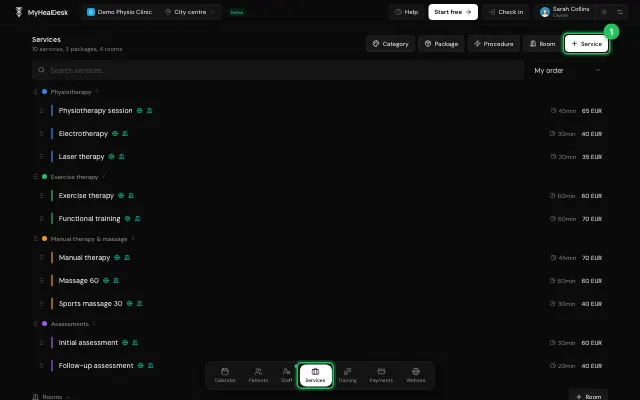
Fill in the details and save.
Drag services to put them in your order.
Watch it
0:00 / 0:00
Open it in MyHealDesk
Opens this in the dashboard's Help, with Show me.
Something missing or unclear? Suggest a feature
Ask an AI about it: Ask ChatGPT Ask Claude Read this page as markdown