
Expenses
Record what the clinic spends, by category, and set rent or other bills to repeat weekly, monthly or yearly. Where bills carry an IPS QR code, scan it to fill the expense in.
On the Growth plan and up.
How to use it
In Payments, press Expense.
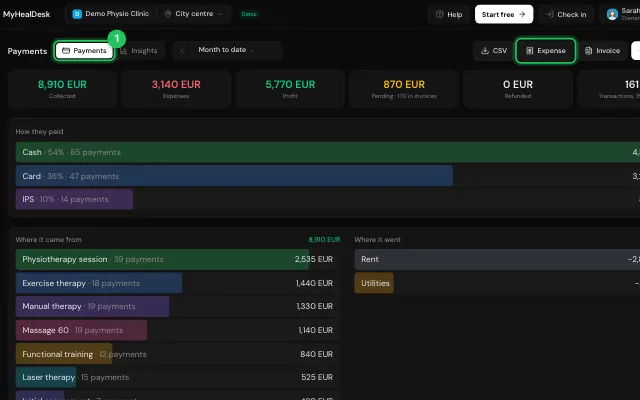
Scan the QR code, or fill in the description, amount, category and date.
Turn on repeating if it comes back every month.
Open it in MyHealDesk
Opens this in the dashboard's Help, with Show me.
Something missing or unclear? Suggest a feature
Ask an AI about it: Ask ChatGPT Ask Claude Read this page as markdown