
Invoices
Invoice a patient, or a company or insurer for its patients' unpaid visits. Add services or packages and attach files; the PDF carries an IPS QR code for paying. Sending a company invoice also sends the medical reports and a CSV of the visits.
On the Growth plan and up.
How to use it
In Payments, press Invoice.
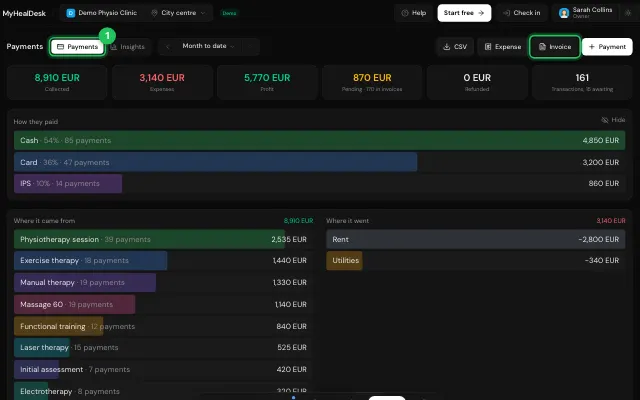
Choose the patient or company and add the items.
Print / PDF or Send, and mark it Paid when it's paid.
Open it in MyHealDesk
Opens this in the dashboard's Help, with Show me.
Something missing or unclear? Suggest a feature
Ask an AI about it: Ask ChatGPT Ask Claude Read this page as markdown