
Google Business Profile and reviews
Connect your Google listing to keep its opening hours, phone and website the same as in MyHealDesk, read and answer reviews in Insights, and get an email for each new review.
How to use it
Open Settings → Integrations → Google Business Profile, connect it and pick the listing for each location.
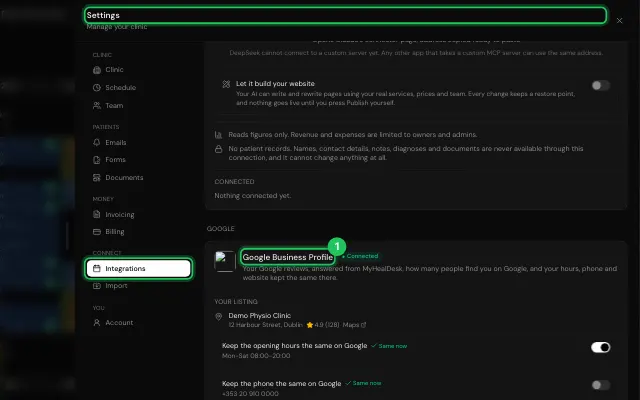
Choose what to keep the same on Google.
Answer reviews in Payments → Insights, under Google reviews.
Open it in MyHealDesk
Opens this in the dashboard's Help, with Show me.
Something missing or unclear? Suggest a feature
Ask an AI about it: Ask ChatGPT Ask Claude Read this page as markdown