
Online booking for patients
Patients book themselves on your booking page, choosing a service, location and time, and you get a New online booking notification. You choose which services can be booked online and how far ahead.
How to use it
Open Settings → Schedule, at Public Online Booking, and turn on Enable public booking page.
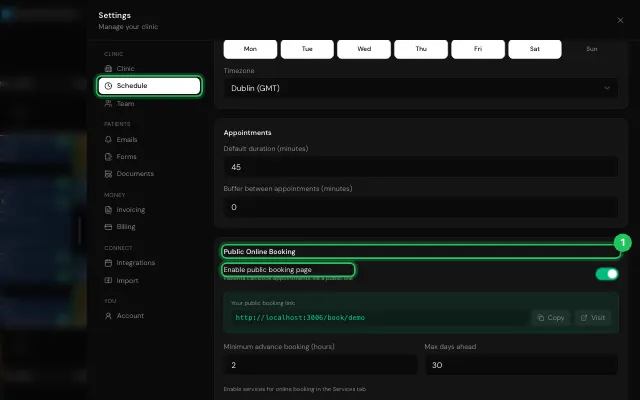
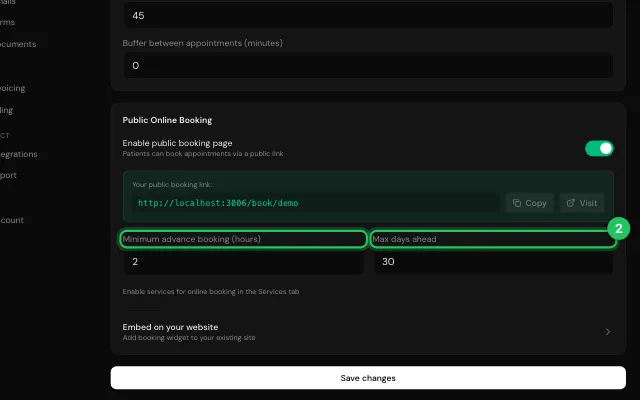
Set Minimum advance booking and Max days ahead, and copy the link to share.
In Services, switch on Online booking for each service patients may book.
Open it in MyHealDesk
Opens this in the dashboard's Help, with Show me.
Something missing or unclear? Suggest a feature
Ask an AI about it: Ask ChatGPT Ask Claude Read this page as markdown