MyHealDeskMyHealDeskHelp
SrpskiLog inStart free
  • Adding a patient
  • Finding patients: search and filters
  • Exporting patients (CSV)
  • Email announcements to patients
  • Companies and insurers
  • Who is running out of sessions
  • Tags
  • Who brought a patient in
  • How patients found you
  • Turning emails off for one patient
  • Printing a patient's whole file
  • Deleting a patient
HelpPatients

Printing a patient's whole file

Print the whole file, or save it as one PDF.

How to use it

  1. 1

    Open the patient's file.

  2. 2

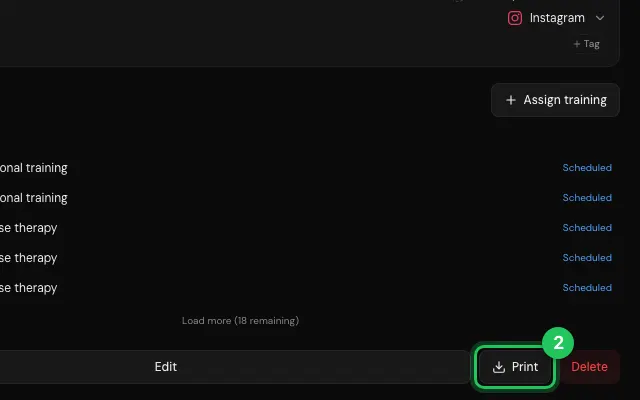
    Press Print at the bottom of Info.

    Step 2: Press Print at the bottom of Info.
Open it in MyHealDesk

Opens this in the dashboard's Help, with Show me.

Something missing or unclear? Suggest a feature

Ask an AI about it: Ask ChatGPT Ask Claude Read this page as markdown

PreviousPatients / Turning emails off for one patientNextPatients / Deleting a patient
MyHealDesk

Clinic management software for physiotherapy, rehabilitation and sports therapy.

App StoreComing soon
Get it on Google Play

Product

  • Features
  • Pricing
  • How it works
  • FAQ

Account

  • Log in
  • Sign up
  • Affiliate ($100/referral)

Legal

  • Privacy
  • Terms

© 2026 MyHealDesk

MyHealDesk