
Medical reports
Write a report from ready sections: pain on a body map, functional status, anamnesis, clinical findings, diagnosis with MKB-10 codes, therapy and medicines, advice, referral and follow-up, or a section of your own. Then download, print or email it as a PDF.
How to use it
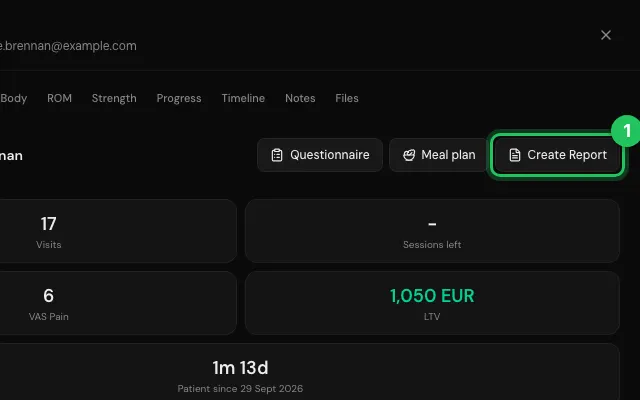
Open the patient's file and press Create Report.
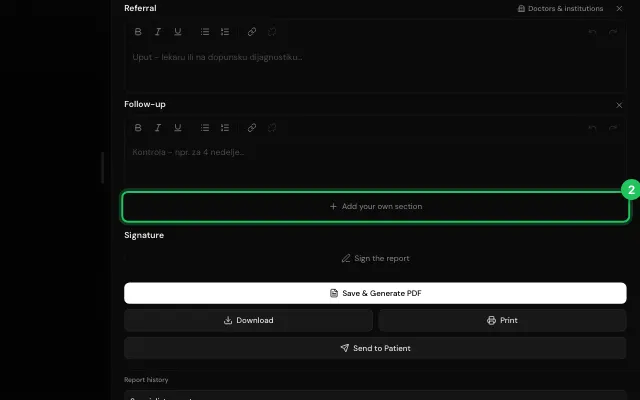
Tick the sections you need and fill them in; Add your own section for anything else.
Press Save & Generate PDF, then Download, Print or Send to Patient.
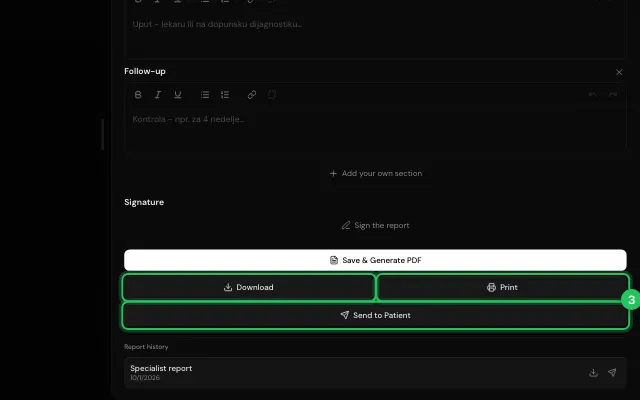
Correct fixes a report later and keeps the earlier versions.
Open it in MyHealDesk
Opens this in the dashboard's Help, with Show me.
Something missing or unclear? Suggest a feature
Ask an AI about it: Ask ChatGPT Ask Claude Read this page as markdown