
PIN lock for payments and other tabs
Lock chosen tabs (Payments, Settings, Patients, Staff and others) behind a PIN, so a shared computer at reception doesn't show your money. It locks again after 5 idle minutes.
How to use it
Open Settings → PIN lock and turn it on.
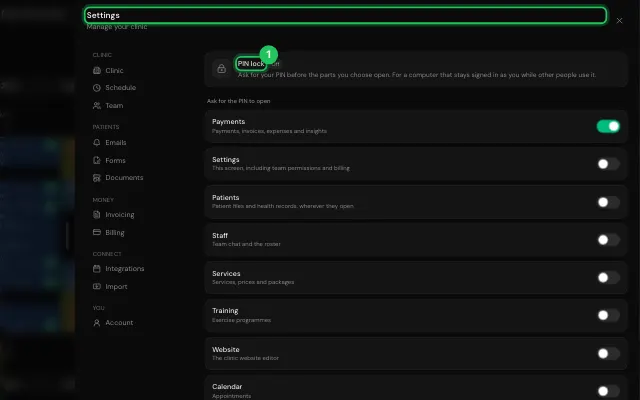
Choose what it locks and set your PIN.
Open it in MyHealDesk
Opens this in the dashboard's Help, with Show me.
Something missing or unclear? Suggest a feature
Ask an AI about it: Ask ChatGPT Ask Claude Read this page as markdown