
Roles and permissions
Each role (admin, therapist, trainer, collaborator) can do a set of things, such as see payments, edit records or manage services. The owner decides what each role may do.
How to use it
Open Settings → Team.
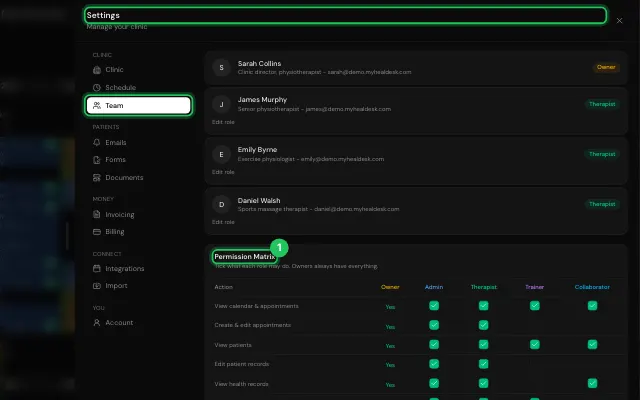
In the Permission Matrix, tick or untick what each role may do (owner only).
Change one person's role by editing them in Staff → Team.
Open it in MyHealDesk
Opens this in the dashboard's Help, with Show me.
Something missing or unclear? Suggest a feature
Ask an AI about it: Ask ChatGPT Ask Claude Read this page as markdown