
Completing, cancelling and no-shows
Mark each visit Complete, No-show or cancelled. The status counts toward package sessions, staff pay and Insights.
How to use it
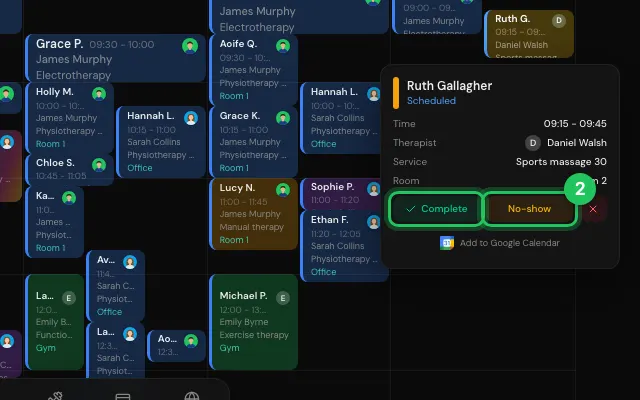
Hover over a booking, or open it.
Press Complete, No-show, or ✕ to cancel.
Open it in MyHealDesk
Opens this in the dashboard's Help, with Show me.
Something missing or unclear? Suggest a feature
Ask an AI about it: Ask ChatGPT Ask Claude Read this page as markdown