
Google Calendar
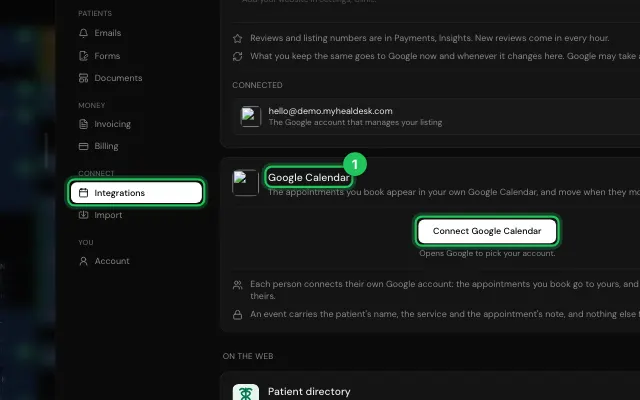
Connect Google Calendar and the appointments you book appear in it, and move when they move. Each person connects their own account. Any single booking can also be added by hand.
How to use it
In Settings → Integrations → Google Calendar (owners and admins), press Connect Google Calendar and pick your Google account.
To add one booking by hand, open it and press Add to Google Calendar.
Open it in MyHealDesk
Opens this in the dashboard's Help, with Show me.
Something missing or unclear? Suggest a feature
Ask an AI about it: Ask ChatGPT Ask Claude Read this page as markdown